오렌지 검출하기 - googlenet
1-1. Detect oranges in images - googlenet.ipynb
- 셀 실행시키기Ctrl + Enter
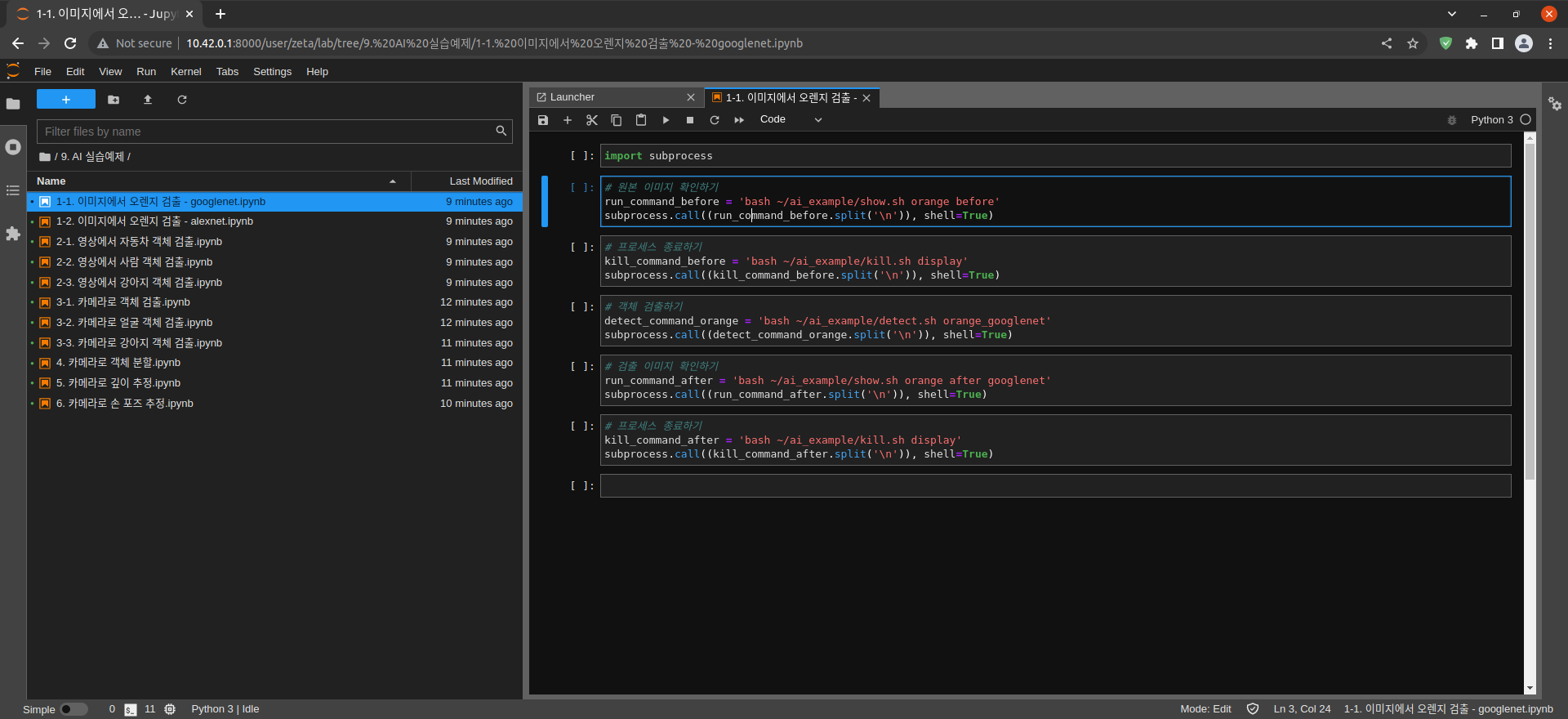
import subprocess
subprocess 모듈 가져오기
# 원본 이미지 확인하기
run_command_before = 'bash ~/ai_example/show.sh orange before'
subprocess.call((run_command_before.split('\n')), shell=True)
원본 이미지 확인하기

Jetson Nano에서 실행된 모습
# 프로세스 종료하기
kill_command_before = 'bash ~/ai_example/kill.sh display'
subprocess.call((kill_command_before.split('\n')), shell=True)
프로세스 종료하기
# Detect objects
detect_command_orange = 'bash ~/ai_example/detect.sh orange_googlenet'
subprocess.call((detect_command_orange.split('\n')), shell=True)
객체 검출하기
# 검출 이미지 확인하기
run_command_after = 'bash ~/ai_example/show.sh orange after googlenet'
subprocess.call((run_command_after.split('\n')), shell=True)
검출 이미지 확인하기
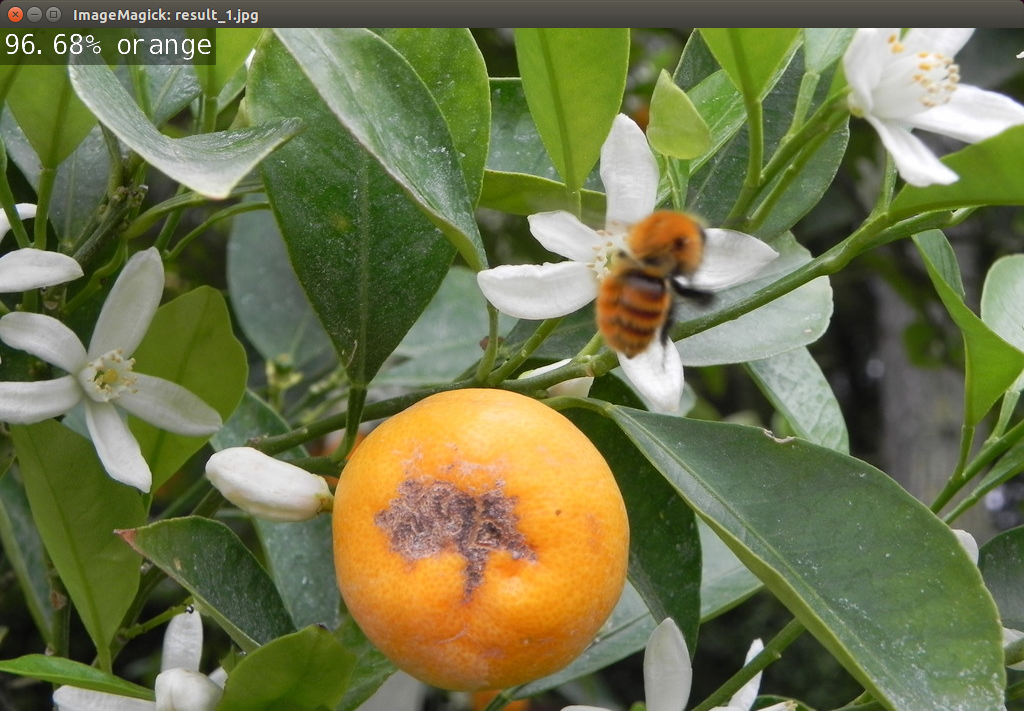
Jetson Nano에서 실행된 모습
# 프로세스 종료하기
kill_command_after = 'bash ~/ai_example/kill.sh display'
subprocess.call((kill_command_after.split('\n')), shell=True)
프로세스 종료하기