‘10줄’ 예제 코드 작성해보기
10줄 예제 작성해보기.ipynb
- 셀 실행시키기Ctrl + Enter
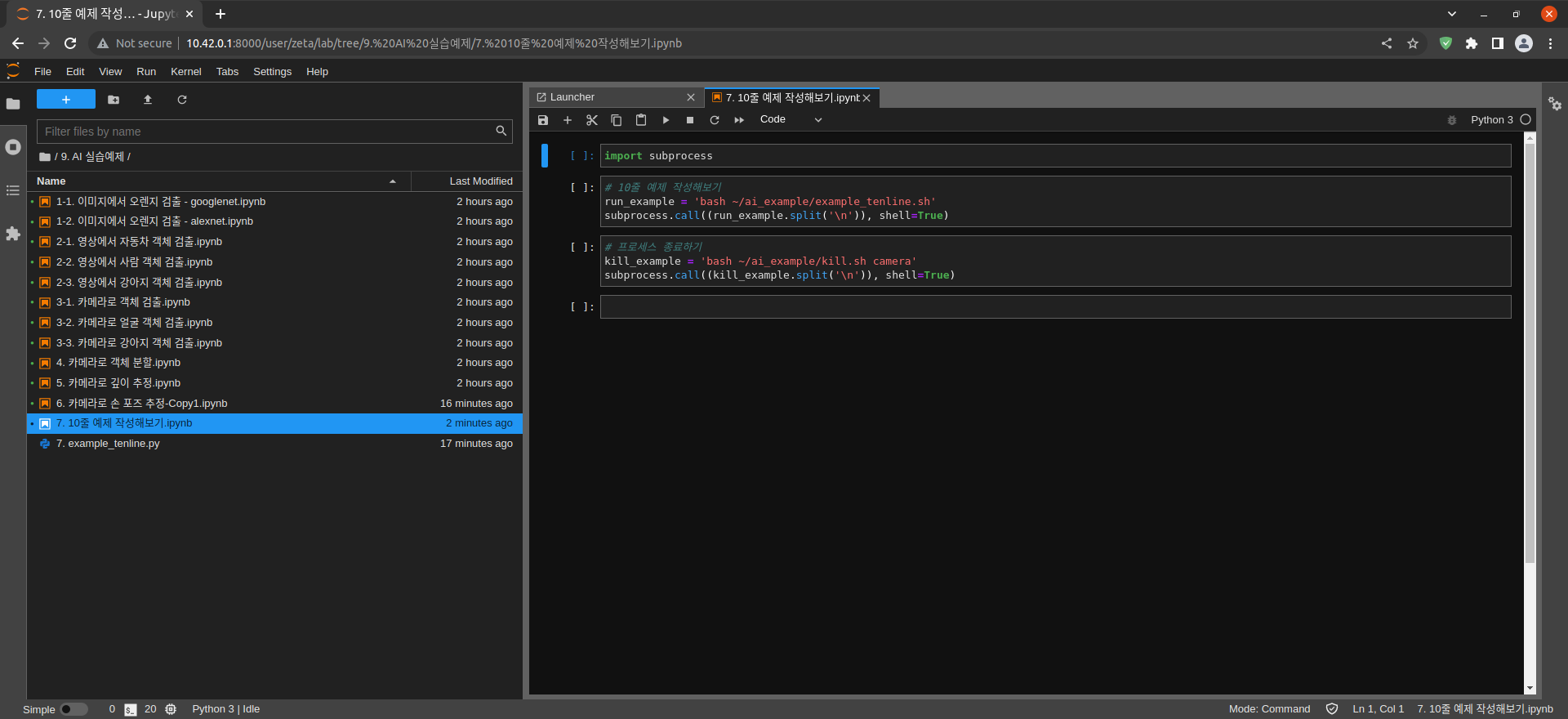
사용 언어 : Python
Raspberry Pi 카메라를 이용한 실시간 객체 검출 코드
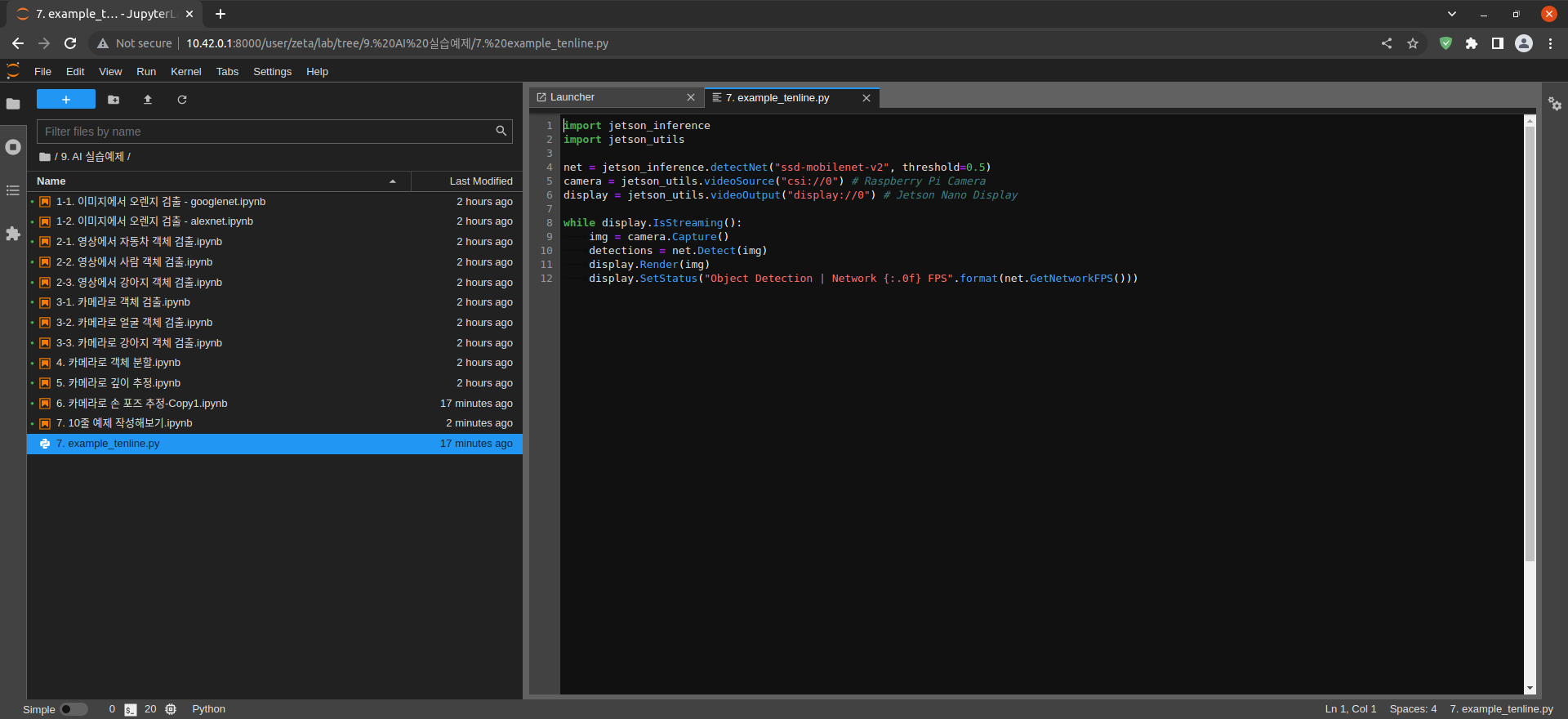
import jetson_inference
import jetson_utils

net = jetson_inference.detectNet("ssd-mobilenet-v2", threshold=0.5)
camera = jetson_utils.videoSource("csi://0") # Raspberry Pi Camera
display = jetson_utils.videoOutput("display://0") # Jetson Nano Display

while display.IsStreaming():
    img = camera.Capture()
    detections = net.Detect(img)
    display.Render(img)
    display.SetStatus("Object Detection | Network {:.0f} FPS".format(net.GetNetworkFPS()))
example_tenline.py 파일에 Code 작성 및 수정
import subprocess
subprocess 모듈 가져오기
# 10줄 예제 실행해보기
run_example = 'bash ~/ai_example/example_tenline.sh'
subprocess.call((run_example.split('\n')), shell=True)
10줄 예제 실행해보기
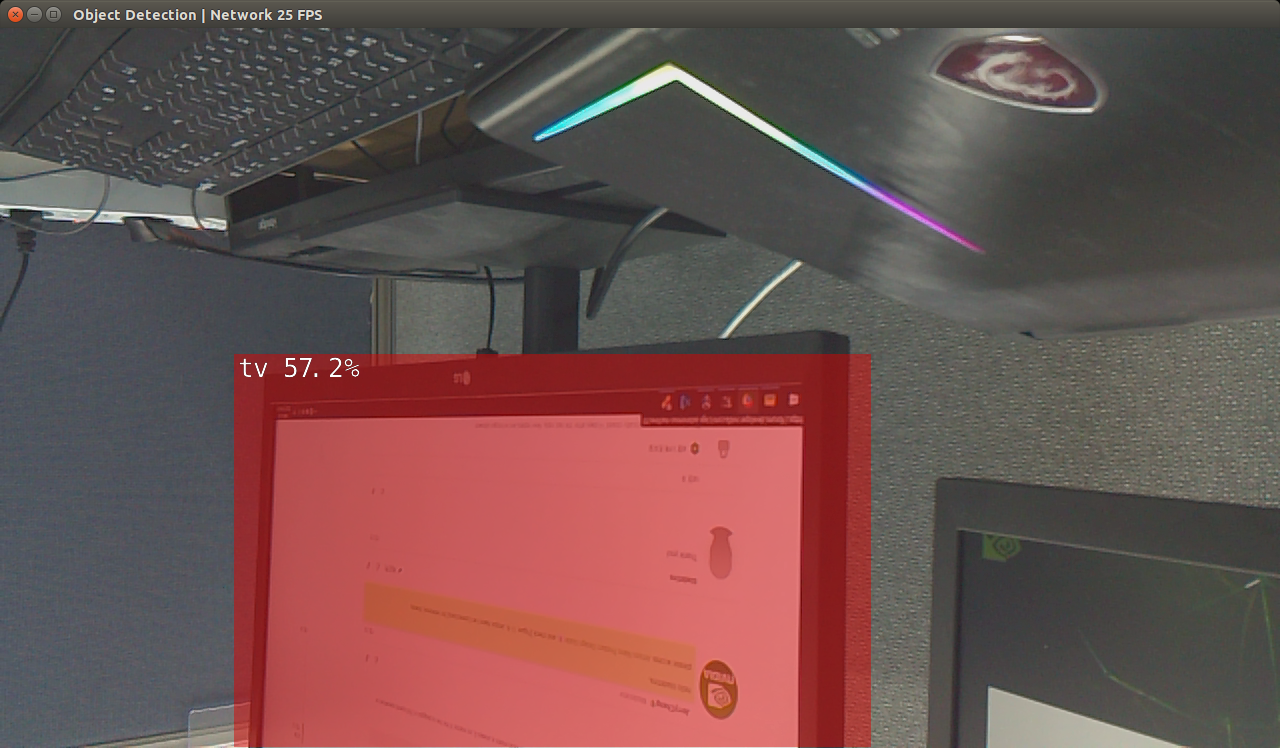
Jetson Nano에서 실행된 모습
# 프로세스 종료하기
kill_example = 'bash ~/ai_example/kill.sh camera'
subprocess.call((kill_example.split('\n')), shell=True)
프로세스 종료하기