로봇팔로 객체 추적하기
05_06_color_follow
- 셀 실행시키기Ctrl + Enter
로봇팔 카메라를 이용한 파란색, 초록색, 노란색, 빨간색 객체 인식 밎 추적
Import head file
import cv2 as cv
import threading
import random
from time import sleep
import ipywidgets as widgets
from IPython.display import display
from color_follow import color_follow
Initialize DOFBOT position
import Arm_Lib
Arm = Arm_Lib.Arm_Device()
joints_0 = [90, 135, 20, 25, 90, 30]
Arm.Arm_serial_servo_write6_array(joints_0, 1000)
Create the instance and initialize the parameters
follow = color_follow()
model = 'General'
HSV_learning = ()
color_hsv = {"red": ((0, 25, 90), (10, 255, 255)),
            "green": ((53, 36, 40), (80, 255, 255)),
            "blue": ((110, 80, 90), (120, 255, 255)),
            "yellow": ((25, 20, 55), (50, 255, 255))}

color = [[random.randint(0, 255) for _ in range(3)] for _ in range(255)]
Creating controls
button_layout = widgets.Layout(width='200px', height='100px', align_self='center')

output = widgets.Output()

color_follow = widgets.Button(description='color_follow', button_style='success', layout=button_layout)

choose_color = widgets.ToggleButtons(options=['red', 'green', 'blue', 'yellow'], button_style='success',
            tooltips=['Description of slow', 'Description of regular', 'Description of fast'])

follow_cancel = widgets.Button(description='follow_cancel', button_style='danger', layout=button_layout)

learning_color = widgets.Button(description='learning_color', button_style='primary', layout=button_layout)

learning_follow = widgets.Button(description='learning_follow', button_style='success', layout=button_layout)

exit_button = widgets.Button(description='Exit', button_style='danger', layout=button_layout)

imgbox = widgets.Image(format='jpg', height=480, width=640, layout=widgets.Layout(align_self='auto'))

img_box = widgets.VBox([imgbox, choose_color], layout=widgets.Layout(align_self='auto'))

Slider_box = widgets.VBox([color_follow, learning_color, learning_follow,follow_cancel,exit_button],
                        layout=widgets.Layout(align_self='auto'))

controls_box = widgets.HBox([img_box, Slider_box], layout=widgets.Layout(align_self='auto'))
# ['auto', 'flex-start', 'flex-end', 'center', 'baseline', 'stretch', 'inherit', 'initial', 'unset']
Switch mode
def color_follow_Callback(value):
    global model
    model = 'color_follow'
def learning_color_Callback(value):
    global model
    model = 'learning_color'
def learning_follow_Callback(value):
    global model
    model = 'learning_follow'
def follow_cancel_Callback(value):
    global model
    model = 'General'
def exit_button_Callback(value):
    global model
    model = 'Exit'
color_follow.on_click(color_follow_Callback)
learning_color.on_click(learning_color_Callback)
learning_follow.on_click(learning_follow_Callback)
follow_cancel.on_click(follow_cancel_Callback)
exit_button.on_click(exit_button_Callback)
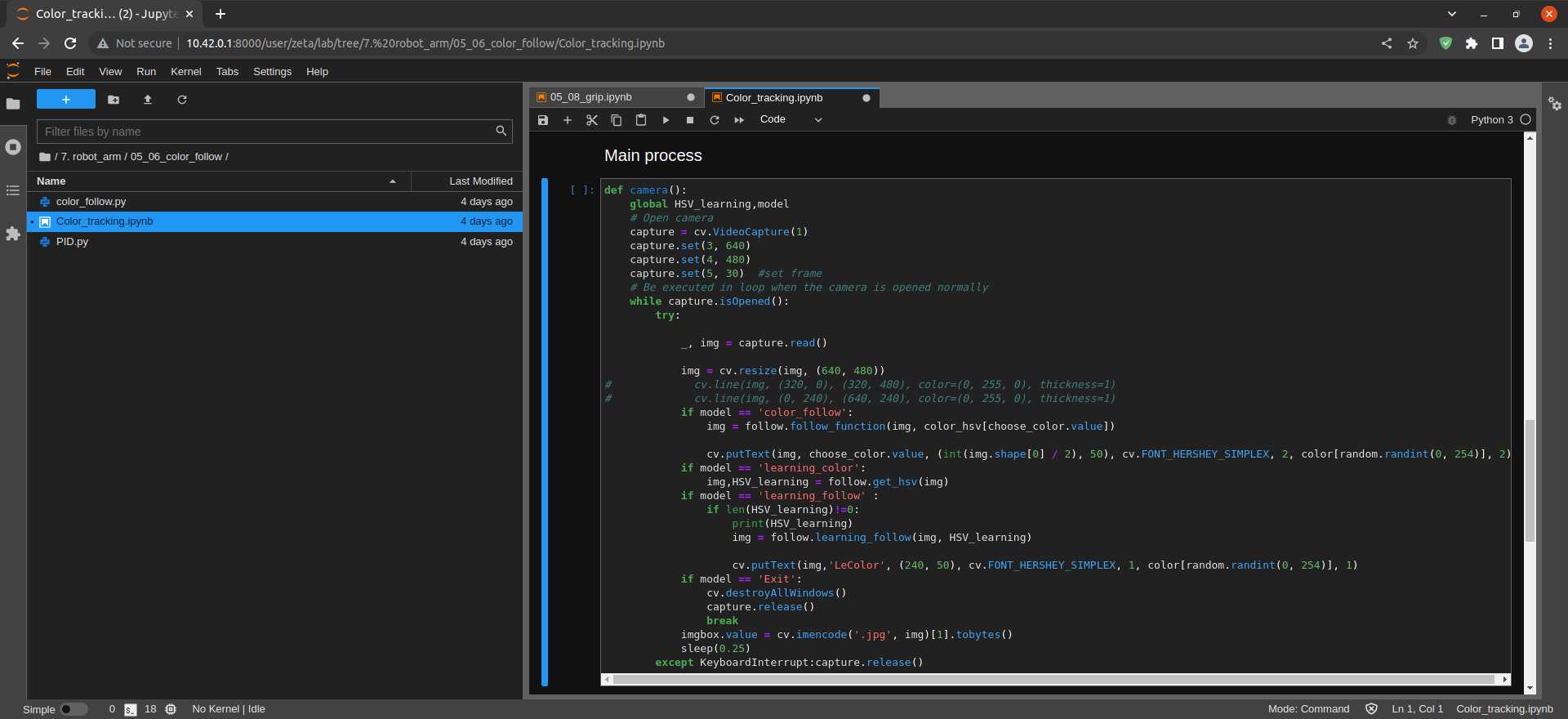
def camera():
    global HSV_learning,model
    # Open camera
    capture = cv.VideoCapture(1)
    capture.set(3, 640)
    capture.set(4, 480)
    capture.set(5, 30)  #set frame
    # Be executed in loop when the camera is opened normally
    while capture.isOpened():
        try:

            _, img = capture.read()

            img = cv.resize(img, (640, 480))
#             cv.line(img, (320, 0), (320, 480), color=(0, 255, 0), thickness=1)
#             cv.line(img, (0, 240), (640, 240), color=(0, 255, 0), thickness=1)
            if model == 'color_follow':
                img = follow.follow_function(img, color_hsv[choose_color.value])

                cv.putText(img, choose_color.value, (int(img.shape[0] / 2), 50), cv.FONT_HERSHEY_SIMPLEX, 2, color[random.randint(0, 254)], 2)
            if model == 'learning_color':
                img,HSV_learning = follow.get_hsv(img)
            if model == 'learning_follow' :
                if len(HSV_learning)!=0:
                    print(HSV_learning)
                    img = follow.learning_follow(img, HSV_learning)

                    cv.putText(img,'LeColor', (240, 50), cv.FONT_HERSHEY_SIMPLEX, 1, color[random.randint(0, 254)], 1)
            if model == 'Exit':
                cv.destroyAllWindows()
                capture.release()
                break
            imgbox.value = cv.imencode('.jpg', img)[1].tobytes()
            sleep(0.25)
        except KeyboardInterrupt:capture.release()
Start
display(controls_box,output)
threading.Thread(target=camera, ).start()